|
Tools for integration with HP OpenView NNM include:
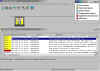
 Trap configuration
 |
|
Pull-down menus |
|
Data collection objects
|
|
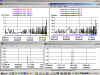
Performance graphs |
Trap Configuration
The different trap types that are generated
by NMServer for VOS are associated with OpenView
alarm categories and severity levels.
Descriptive trap text messages are also included.
Pull-down Menus
Pull-down menus under the OpenView Tools menu
heading facilitate navigation through the features
of NMServer for VOS. NMServer for VOS
menus headings are: Graphs, Current Data, Configuration,
and User Traps. Under each of these headings
are various OpenView MIB applications that logically
group the functions of NMServer for VOS.
Data Collection Objects
Various data collection objects are pre-configured
for use with NMServer for VOS. All data
collection objects are initially suspended,
so that you can decide which objects are important
to your environment. Data collected by
these objects feeds into the performance graphs
described below.
Performance Graphs
NMServer for VOS performance graphs allow you
to track a wide variety of performance objects.
These graphs can either use data that is collected
by the data collection objects or they can poll
for data in real time. For each of these
graphs, use the OpenView Help®On
Application menu selection to determine which
data collection objects should be enabled for
continuous collection of the data.
|