|
When integrated with NNM, COMTEK /VMS provides easy access to VMS events (SNMP traps)
and historical performance trend data. This integration logically presents the wealth
of data available from COMTEK /VMS in the familiar OpenView environment. Since the integration
was built using standard NNM tools, the integration can be customized and extended to fit any environment.
The COMTEK /VMS integration with HP OpenView NNM includes:
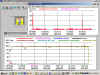
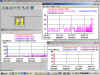
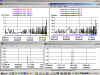
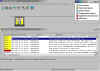
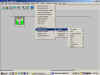
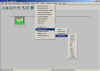
Performance GraphsCOMTEK /VMS for OpenVMS performance graphs allow you to track a wide variety performance objects. These graphs can either use data that is collected by OpenView data collector or they can poll for data in real time. 75+ data collection objects are pre-configured for use with COMTEK /VMS for OpenVMS. All data collection objects are initially suspended, so that you can decide which objects are important to your environment. For each of these graphs, use the OpenView Help®On Application menu selection to determine which data collection objects should be enabled for continuous collection of the data. Trap ConfigurationThe 50+ different trap types that are generated by COMTEK /VMS for OpenVMS are associated with OpenView alarm categories and severity levels. Descriptive trap text messages are also included. Pull-down MenusPull-down menus under the OpenView Tools menu heading facilitate navigation through the features of COMTEK /VMS for OpenVMS. COMTEK /VMS for OpenVMS menus headings are: Graphs, Current Data, Configuration, and VMS Monitor. Under each of these headings are various OpenView MIB applications that logically group the functions of COMTEK /VMS for OpenVMS. Download HP OpenView NNM ToolsHP OpenView NNM Tools (.zip - 155 KB)HP OpenView Tools Readme (.txt - 7 KB)
|
|


OpenVMS COMTEK /VMS OpenView
 Performance graphs